
 AsimAli
A powerful gaming computer can deliver impressive graphics, smooth gameplay, and detailed visuals, but modern games often demand more performance than traditional rendering can provide. This is where technologies such as NVIDIA DLSS become important. If you are considering a high-performance gaming setup, you may be wondering whether a computer equipped with an RTX 5080 graphics card supports this technology and how much it can improve your gaming experience. 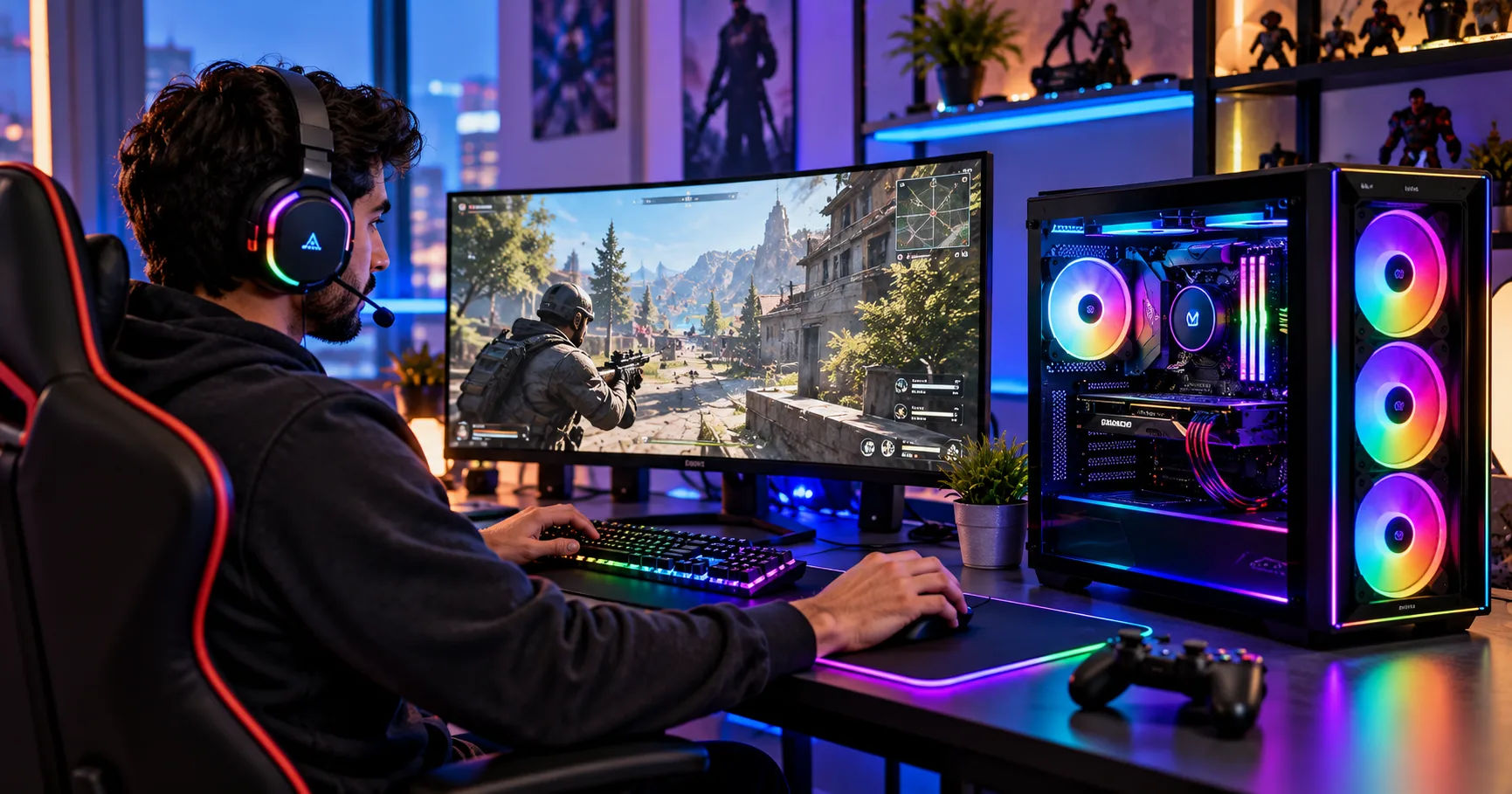 The short answer is yes. An nvidia 5080 gaming pc supports NVIDIA DLSS, including newer DLSS features designed for GeForce RTX 50 Series graphics cards. DLSS can help improve frame rates, enhance image quality, and make demanding games more enjoyable at high resolutions, including 1440p and 4K. However, the results depend on the game, the graphics settings, the specific DLSS features supported, and your chosen display resolution.
Understanding how DLSS works can help you make better decisions about graphics settings, hardware upgrades, and the games you play. This guide explains DLSS compatibility, its different features, how to enable it, and what you can realistically expect from an RTX 5080 gaming computer.
What Is NVIDIA DLSS?
NVIDIA DLSS stands for Deep Learning Super Sampling. It is a collection of graphics technologies designed to improve gaming performance and visual quality using artificial intelligence and specialized hardware in NVIDIA GeForce RTX graphics cards.
Traditional rendering requires a graphics card to draw a game's image at the selected resolution. Rendering at 4K, for example, requires processing substantially more pixels than rendering at 1080p. This creates a heavier workload for the GPU, particularly in graphically demanding games with advanced lighting, reflections, and detailed environments.
DLSS helps reduce this workload by using AI-assisted techniques to produce a higher-resolution image from a lower-resolution rendering or to generate additional frames, depending on the feature being used.
How DLSS Improves Gaming Performance
DLSS includes several technologies that serve different purposes:
-
Super Resolution: Renders the game internally at a lower resolution and reconstructs a higher-resolution image.
-
Frame Generation: Uses AI to generate additional frames between traditionally rendered frames.
-
Multi Frame Generation: Available on supported RTX 50 Series graphics cards, this technology can generate multiple additional frames for each traditionally rendered frame.
-
Ray Reconstruction: Uses AI to improve the reconstruction of ray-traced effects, potentially improving image quality and reducing noise.
-
DLAA: Uses AI-based anti-aliasing to improve image quality while rendering at the display's native resolution, rather than prioritizing performance through upscaling.
Not every game supports every feature. Availability depends on the game, its implementation, and the graphics card being used.
Does an NVIDIA 5080 Gaming PC Support DLSS 4?
Yes. The GeForce RTX 5080 is part of NVIDIA's RTX 50 Series and supports DLSS 4 technologies, including Multi Frame Generation. NVIDIA introduced DLSS 4 alongside the RTX 5090 and RTX 5080 in January 2025. The technology uses newer AI models to improve performance and image reconstruction.
An nvidia 5080 gaming pc is particularly well suited to DLSS because the graphics card combines dedicated AI processing hardware with the performance needed for demanding modern games.
DLSS 4 Super Resolution
Super Resolution is useful when you want to maintain high image quality without rendering every frame at the monitor's full resolution.
For example, if you play at 4K, the game can render internally at a lower resolution before DLSS reconstructs the image. This can reduce the GPU workload while delivering an output that looks close to native 4K in many situations.
The exact results vary by game. Some scenes look remarkably close to native rendering, while others may show softer fine details or reconstruction artifacts.
DLSS Multi Frame Generation
Multi Frame Generation is one of the major advantages of RTX 50 Series graphics cards.
Instead of generating only traditionally rendered frames, the technology creates additional AI-generated frames between them. On supported RTX 50 Series hardware, DLSS 4 Multi Frame Generation can generate up to three additional frames per traditionally rendered frame.
This can significantly increase the displayed frame rate in supported games. However, generated frames are not the same as additional frames rendered directly by the GPU, so a higher displayed FPS figure does not necessarily mean an equivalent improvement in input responsiveness.
Improved AI Image Reconstruction
DLSS 4 also introduced updated AI models for supported Super Resolution, Ray Reconstruction, and DLAA implementations.
These improvements can help maintain image stability during movement, reduce certain visual artifacts, and improve the appearance of fine details. The extent of the improvement depends on the game and the model being used.
NVIDIA's software also provides options for upgrading DLSS models in supported games, although the available options vary by title and graphics card.
Which DLSS Features Work on an RTX 5080?
The RTX 5080 supports the main DLSS features designed for RTX graphics cards, including the latest generations of frame generation and AI-based reconstruction. However, it is important to distinguish graphics-card compatibility from individual game support.
|
DLSS feature |
RTX 5080 support |
Main benefit |
|---|---|---|
|
Super Resolution |
Yes |
Higher output resolution with less rendering work |
|
Frame Generation |
Yes |
Generates additional frames |
|
Multi Frame Generation |
Yes |
Generates multiple additional frames |
|
Ray Reconstruction |
Yes |
Improves reconstruction of ray-traced effects |
|
DLAA |
Yes |
AI-based anti-aliasing at native resolution |
These features are not automatically active in every game. Some titles offer only Super Resolution, while others support several DLSS options together. NVIDIA maintains a regularly updated official DLSS and RTX game compatibility list for checking individual titles.
Does DLSS Work in Older Games?
An RTX 5080 can still deliver excellent performance in older games, even when those games do not support the newest DLSS features.
If a title supports an earlier version of DLSS Super Resolution, you can generally use that feature on the RTX 5080. However, Multi Frame Generation requires a compatible implementation or supported software override.
NVIDIA's app offers DLSS override options for certain games, allowing compatible titles to use newer models or additional features. These options have specific requirements and do not guarantee that every older game will support every new feature.
How DLSS Improves 4K Gaming
Playing at 4K resolution is demanding because the display contains approximately 8.3 million pixels. Rendering each frame at this resolution can put considerable pressure on a graphics card, particularly when ray tracing is enabled.
An nvidia 5080 gaming pc can benefit from DLSS by reducing the amount of traditional rendering needed to produce a high-resolution image.
Higher Frame Rates at 4K
In a demanding game, native 4K rendering may place a heavy workload on the GPU. Enabling DLSS Super Resolution can reduce that workload and improve performance.
The improvement depends on the game, rendering settings, and DLSS mode. Performance mode generally prioritizes frame rate more aggressively than quality mode, while quality mode aims to preserve more detail.
For many visually demanding games, starting with Quality mode is a sensible approach. If performance is still lower than you want, Balanced mode may provide a useful compromise.
Better Performance With Ray Tracing
Ray tracing simulates the behavior of light to create realistic reflections, shadows, and illumination. Although visually impressive, these effects can reduce frame rates significantly.
DLSS can help offset some of this performance cost. Super Resolution reduces the rendering workload, while Ray Reconstruction can improve the appearance of supported ray-traced effects.
This combination is useful in games that offer demanding ray-tracing or path-tracing settings. Nevertheless, the heaviest settings can still challenge even powerful graphics cards, so adjusting individual options may remain necessary.
Making Better Use of High-Refresh Monitors
A high-refresh-rate monitor can display more frames per second than a standard 60Hz display. DLSS can help an RTX 5080 deliver higher displayed frame rates in supported games, making a 144Hz, 165Hz, or 240Hz monitor more useful.
For the best experience, consider the monitor's resolution and refresh rate together. A 4K 144Hz monitor prioritizes sharpness and smoothness, while a 1440p 240Hz monitor places greater emphasis on high-refresh competitive gameplay.
Multi Frame Generation can help increase displayed frame rates, but the experience still depends on the game's underlying performance, latency, and synchronization settings.
How to Enable DLSS on an NVIDIA 5080 Gaming PC
Enabling DLSS is usually straightforward. Most supported games provide the necessary options in their graphics settings.
1. Update your graphics driver
Install a current compatible GeForce Game Ready Driver through the NVIDIA app or NVIDIA's official website. Current drivers help provide game compatibility, performance improvements, and access to supported DLSS features.
2. Open the game's graphics settings
Launch your game and look for the graphics, display, or advanced graphics menu. Search for options named NVIDIA DLSS, Super Resolution, or Upscaling.
3. Select your preferred DLSS mode
Choose Quality, Balanced, or Performance according to your resolution and performance goals. If the game supports Frame Generation or Multi Frame Generation, enable the appropriate option separately.
4. Test performance and image quality
Play a demanding section of the game and observe frame rates, visual clarity, and responsiveness. Adjust the settings if you notice ghosting, flickering, or excessive softness.
If your game does not display the newest DLSS features, check whether it supports them natively or whether a compatible NVIDIA app override is available. Not every game offers the same controls.
Best DLSS Settings for Different Gaming Styles
The best settings depend on whether you value visual quality, competitive responsiveness, or the highest possible frame rate.
Best Settings for 4K Gaming
For cinematic single-player games, start with DLSS Quality mode. It aims to retain detailed textures and sharp edges while reducing the GPU workload.
If you use demanding ray tracing, try enabling Ray Reconstruction when the game supports it. If performance remains below your target, test Balanced mode before lowering other graphics settings.
An nvidia 5080 gaming pc can handle demanding 4K gaming, but the best settings will vary from one title to another.
Best Settings for Competitive Gaming
Competitive games such as first-person shooters often benefit more from low latency and consistent performance than from maximum visual detail.
For these games, prioritize a high native frame rate, enable NVIDIA Reflex when available, and use DLSS only when it improves your experience. Frame Generation can increase displayed FPS, but it does not replace the responsiveness benefits of a strong base frame rate.
If you play competitively, test the game with Frame Generation both enabled and disabled to determine which setting feels better.
Best Settings for Visual Quality
If image quality is your priority, DLSS Quality or DLAA may be suitable choices.
DLAA is especially useful when your GPU can already maintain an acceptable frame rate at native resolution. It focuses on anti-aliasing and image quality rather than reducing the internal rendering resolution to increase performance.
Does DLSS Have Any Disadvantages?
DLSS offers important benefits, but it is not perfect.
-
Visual artifacts: Fine details, fast-moving objects, and complex patterns may occasionally show ghosting, flickering, or reconstruction errors.
-
Added latency: Frame Generation can introduce some processing overhead. NVIDIA Reflex helps reduce latency in supported games, but generated frames do not eliminate input delay.
-
Game compatibility: Features depend on individual game implementations and software support.
-
Diminishing returns: If a game is limited by your CPU or another component, DLSS may not produce the expected performance improvement.
-
Powerful hardware still matters: DLSS does not eliminate the need for sufficient graphics performance, memory, cooling, and a suitable power supply.
These limitations do not make DLSS a poor choice. They simply mean you should evaluate performance and responsiveness instead of relying on FPS numbers alone.
Is an RTX 5080 Gaming PC Worth It for DLSS?
For gamers who want high-resolution graphics and access to modern AI-assisted rendering, an RTX 5080-based computer is a compelling option.
Its support for DLSS 4 and Multi Frame Generation makes it particularly attractive for demanding games that support these features. It can also use compatible earlier DLSS implementations, so you do not need every game to adopt the newest version to benefit from the technology.
Before purchasing, consider your monitor, preferred games, budget, and performance goals. A 4K gamer may benefit greatly from DLSS, while someone playing lightweight competitive titles at 1080p may not need every advanced feature.
Also make sure the complete system is well balanced. A capable processor, sufficient RAM, fast storage, adequate cooling, and a reliable power supply all contribute to a smooth gaming experience.
Conclusion
Yes, an NVIDIA RTX 5080 gaming computer supports DLSS, including DLSS 4 features such as Multi Frame Generation. This technology can improve frame rates, reduce rendering workloads, and help deliver detailed visuals in supported games. It is especially valuable for demanding 1440p and 4K gaming, where advanced lighting and high graphics settings can place substantial pressure on the GPU.
An nvidia 5080 gaming pc gives you access to Super Resolution, Frame Generation, Multi Frame Generation, Ray Reconstruction, and DLAA where the relevant software supports them. However, each feature serves a different purpose, and not every game includes every option.
For most players, the best approach is to start with DLSS Quality mode, enable additional features when appropriate, and test performance in the games they actually play. Competitive gamers should pay particular attention to latency, while players who enjoy cinematic experiences can experiment with ray tracing and Multi Frame Generation.
Ultimately, DLSS makes the RTX 5080 more versatile by helping balance performance and image quality. When combined with a well-configured gaming PC, suitable drivers, and a compatible monitor, it can deliver an excellent modern gaming experience.
